Inspect Any Property In Minutes.
4-Point, Wind Mitigation, and Home Inspection reports that write themselves as you shoot photos — AI drafts the captions, severity, and recommendations, and the 4-Point PDF matches the current Insp4pt 03/25 form field-for-field.
No credit card required. Create your account in under a minute.
See a sample 4-Point report (PDF)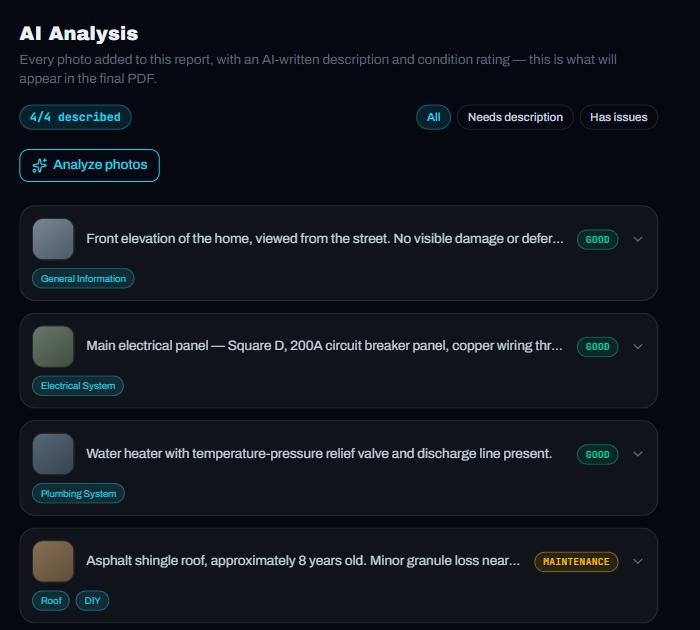
Why switch
Stop fighting your paperwork.
The old way
- Type every field of the 4-Point form by hand
- Photos sit in a folder — captions written from memory later
- Hope the form still matches the current revision
- Send it and wait to see if the agent kicks it back
With FieldCert
- Shoot photos by section — AI drafts captions, severity, and recommendations
- PDF matches the current Insp4pt 03/25 form, field-for-field
- Generate and download before you leave the driveway
- Two free reports to try it yourself, no card required
What's already built
Everything an inspection report needs, nothing it doesn't.
Not a generic form builder — software written around the exact paperwork carriers and agents expect.
Form-accurate 4-Point
Matches the current Insp4pt 03/25 form field-for-field, down to the checkbox layout and footer citation — so agents don't send it back.
AI photo analysis
Every photo gets a caption, a condition rating, and a recommendation drafted for you — review and adjust instead of writing from scratch.
Continuous camera capture
Shoot every section's photos in one pass, straight from your phone's browser — each one lands in the gallery instantly, no app store needed.
Three report types, one login
4-Point, Wind Mitigation, and Home Inspection share one company profile and one photo library per property.
Autosaves from the first photo
Start with photos and fill in the rest later — a report saves the moment you have a photo, not just when the form is finished.
Your branding, every time
Logo, license number, and signature drop into every report automatically — set them once in Company Settings.
Reports you can create
The right report for every job.
Open a real sample of each one. The samples use fictional data, so you can see exactly what you would send.
4-Point Inspection
The insurance 4-Point — roof, electrical, plumbing, and HVAC on the current Insp4pt 03/25 form, with a cover page and a photo addendum.
Best for
Insurance applications and renewals on older homes
View sample PDFWind Mitigation
The official Uniform Mitigation Verification Inspection Form (OIR-B1-1802), with the roof, openings, and wall connections backed by photos.
Best for
Wind insurance discounts
View sample PDFHome Inspection
A full written report: findings grouped by system and rated Safety, Major, Maintenance, or Good, with photos, recommendations, and a summary page.
Best for
Buyers and sellers during a purchase
View sample PDFHow it works
From photo to finished PDF, before you leave the driveway.
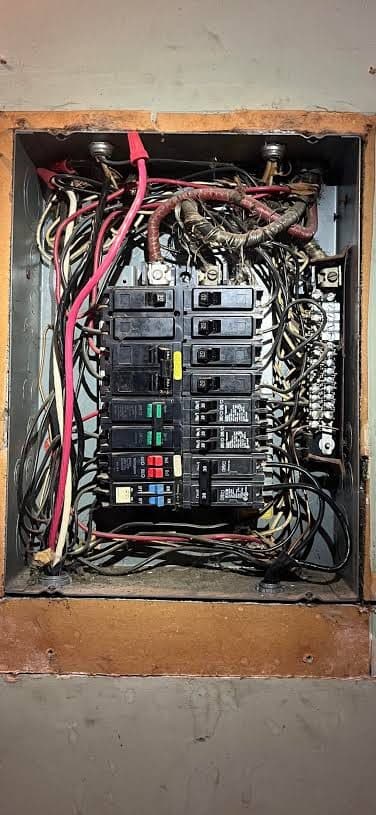
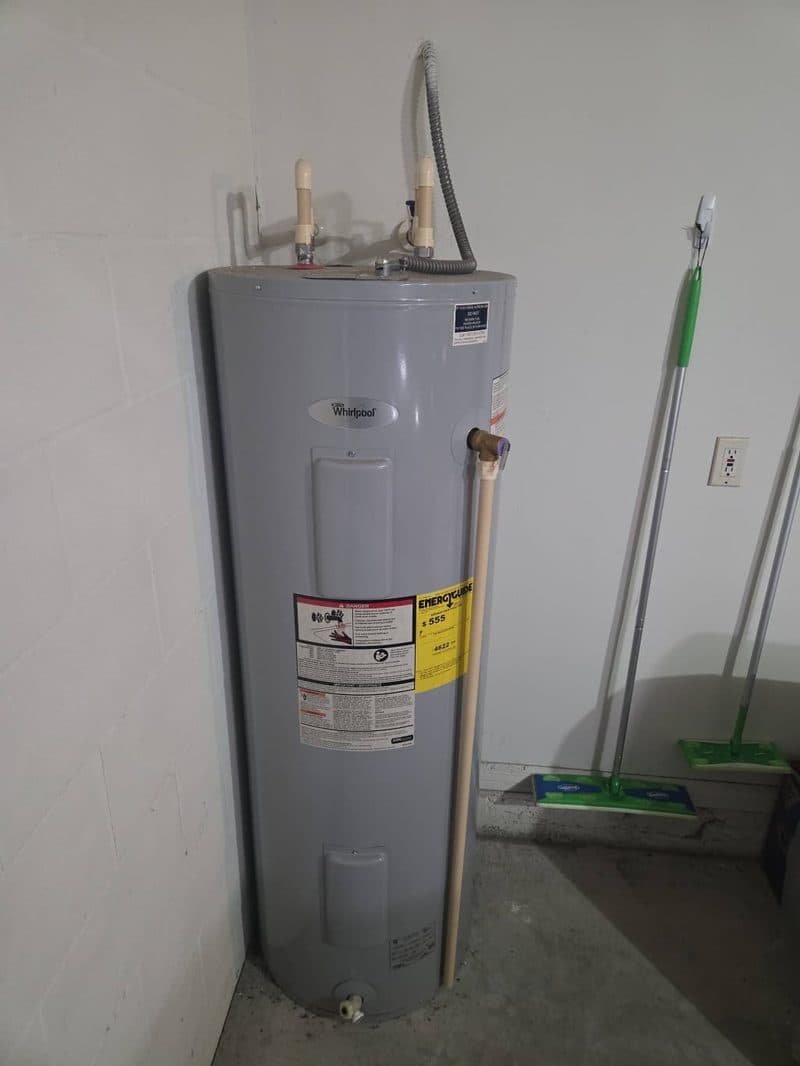
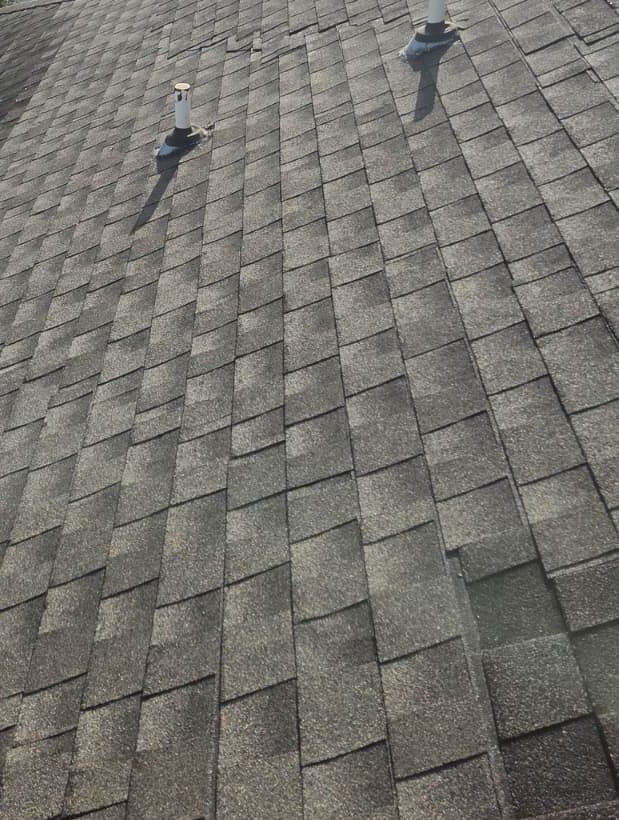
Real photos, real AI output. Tap a step to see its screen.
FieldCert Pro
Unlimited reports across all three types.
Or $390/year — save $78 (2 months free)
- 4-Point, Wind Mitigation & Home Inspection
- AI photo captions, severity & recommendations
- In-app continuous camera capture
- Company branding on every PDF
Why $39
Spectora runs $59–129/mo, HomeGauge and ISN land around $32–52/mo — and none of them draft your findings or match the current form out of the box.
Every account starts with two free reports, no card required, so you can generate a real PDF before deciding anything.
Questions
Before you sign up.
Is my data secure?+
Yes — every account's reports, clients, and photos are isolated at the database level, so one inspector's data is never readable by another account. All traffic runs over HTTPS. See our Privacy Policy for details.
Can I cancel anytime?+
Yes, anytime from your billing settings — no phone calls, no contracts. Your subscription stays active through the end of the period you already paid for.
What happens to my reports if I cancel?+
Your existing reports stay in your account — cancelling stops future billing, it doesn't delete anything.
Does it work on iPhone and Android?+
Yes — FieldCert runs in your phone's browser, so there's nothing to install from an app store. Shoot photos with your camera the same way you do today.
What happens after my 2 free reports?+
You'll be prompted to subscribe to keep creating new reports. Reports you've already made stay accessible either way.
Ready to inspect your next property?
Create your account and generate your first report today — the first two are free.
Start free — 2 reports on usStill have questions?
Ask us anything.
We'll reply by email, usually the same day.